01 / PLAN
Start with an explainable plan
Use food, equipment, targets, phases, serving time and the comparable cooks you choose.
Open the cook planner view → BBQ Replay
BBQ Replay keeps the plan, manual readings, changes and result together, then helps you choose the completed cooks that should inform the next one.
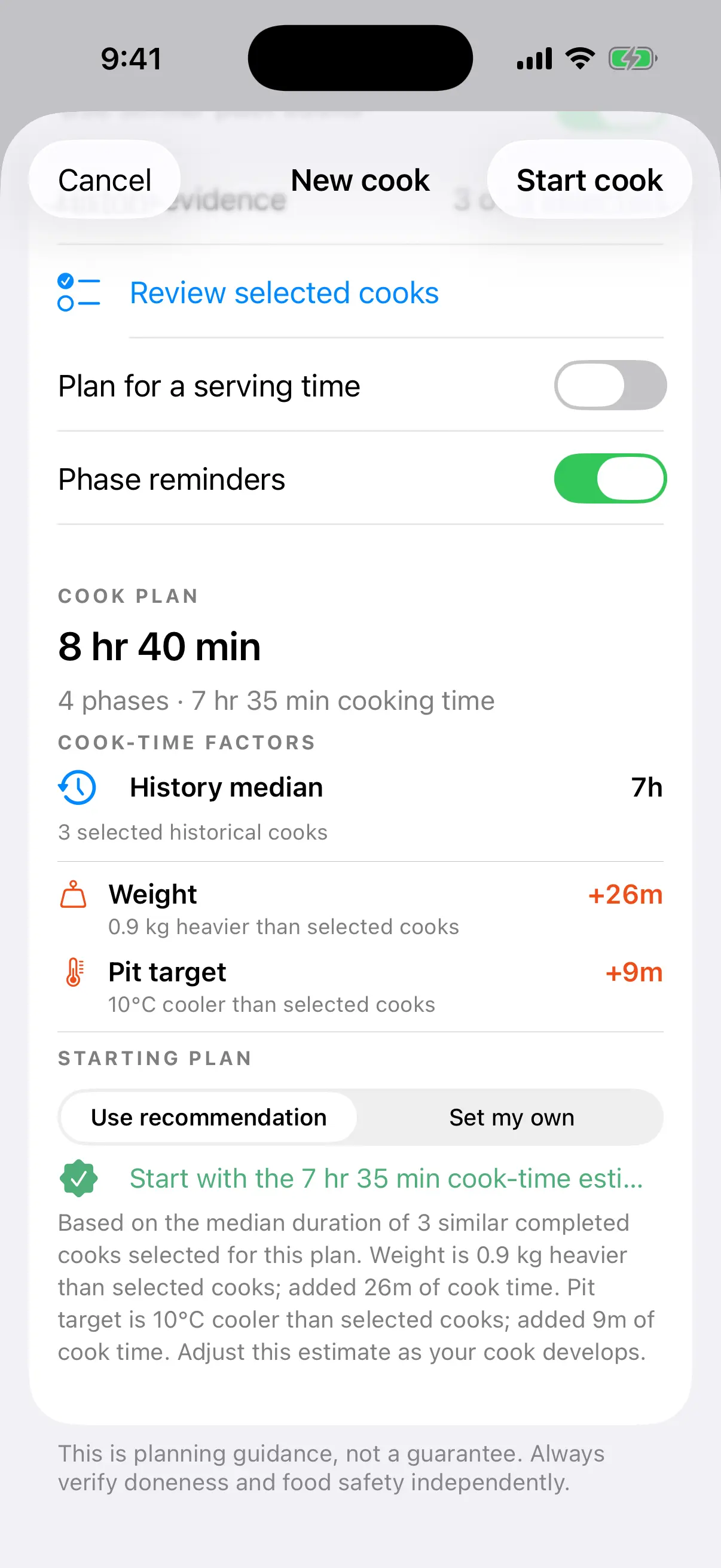
Every adjustment stays visible.
THREE USEFUL SIGNALS
A useful record says what you planned, what changed and what happened. BBQ Replay keeps those parts readable without turning a cook into a spreadsheet.
01 / PLAN
Use food, equipment, targets, phases, serving time and the comparable cooks you choose.
Open the cook planner view →02 / COOK
Log manual pit and food readings with fuel, vents, wraps, moves and phase events.
See the smoker cook log →03 / REPLAY
Review planned beside actual, then select relevant history for the next starting estimate.
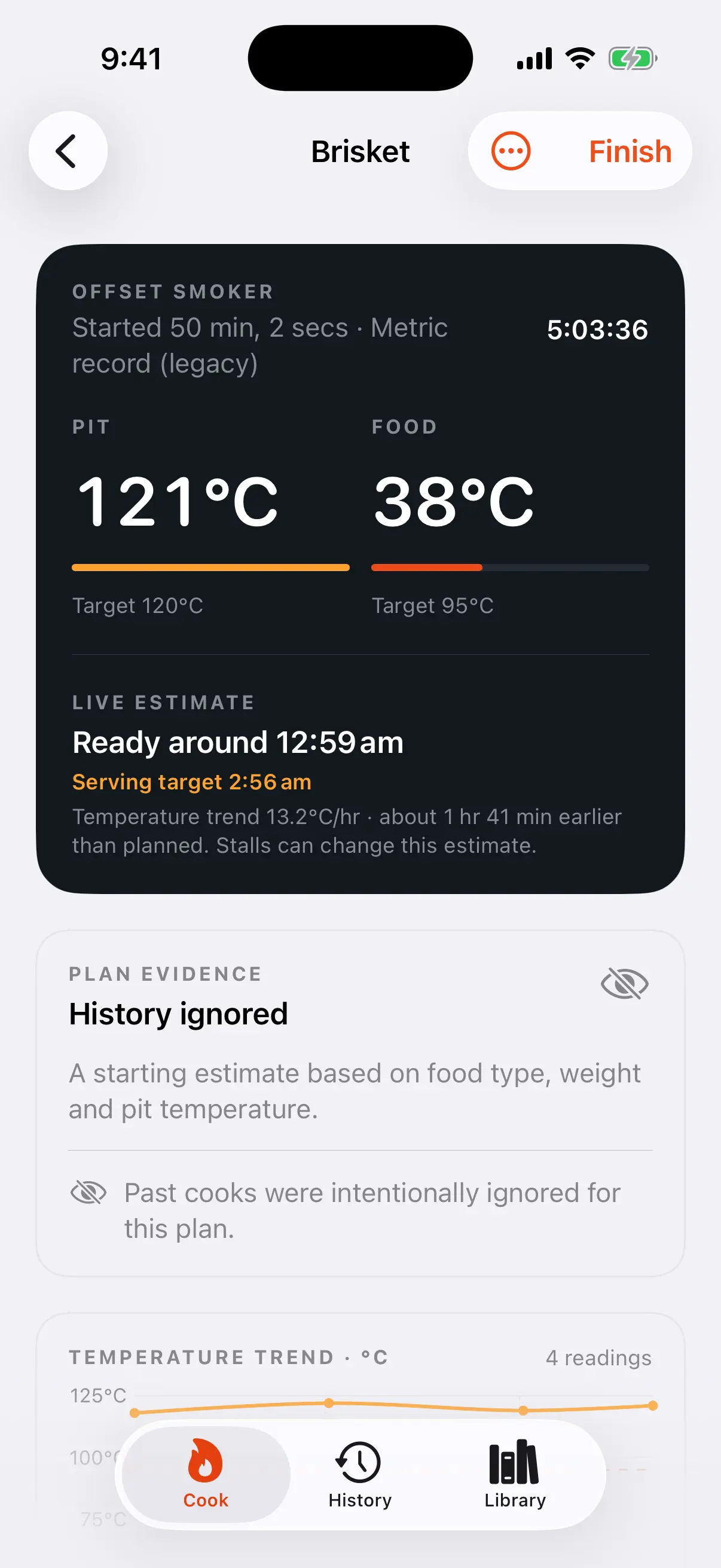
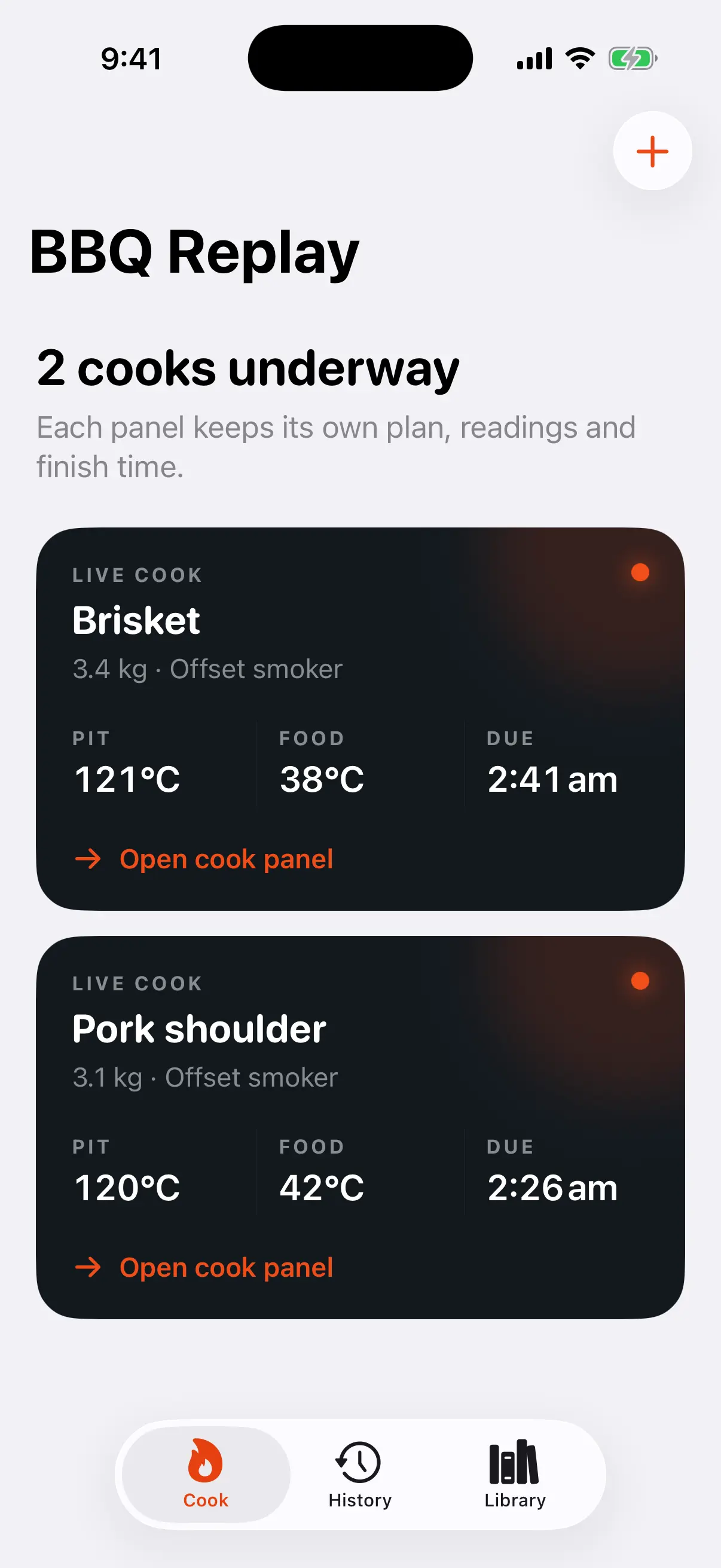
Explore cook history →THE COOK, IN CONTEXT
These are real BBQ Replay product states captured from the current app build, not decorative dashboard concepts.
LOCAL BY DEFAULT
Core planning and cook tracking work without an account or network connection. Photos stay local and version 1 history export is an explicit action.
Read the privacy boundaryCOOKING BOUNDARY
Time and temperature guidance is advisory. Verify food safety and doneness independently using appropriate guidance, your equipment, and your own judgement.
FIELD NOTES FOR THE NEXT COOK
Ten original guides cover timing, logging, temperature trends, multiple meats, rotisserie setups and using your own history well.
how to plan a BBQ cook
Build a calmer BBQ timeline by starting with serving time, adding rest and setup, and working back to a realistic start window.
Read field notebrisket cooking timeline
Plan a brisket cook around serving time with setup, cook phases, a suitable rest or hold, and room for the cook to change.
Read field notesmoker cook log
Keep a smoker cook log that explains the result without turning the cook into paperwork.
Read field noteBBQ temperature graph
Learn what pit and food temperature trends can reveal, what they cannot prove, and which events belong beside the graph.
Read field note